Notifications
Notifications keep project changes visible without making every person keep every page open.
The notification bell
The bell next to your name at the top of the sidebar is where Vaizy tells you what needs your attention: milestone status changes, raised risks, budget and tolerance alerts, mentions, upcoming due dates, edit-access and time-off requests, and being added to a project. New ones arrive live, in your own language.
Click a notification to jump straight to what it's about. You can mark notifications read one at a time or all at once, and filter to show only unread ones. You never get notified about something you did yourself.
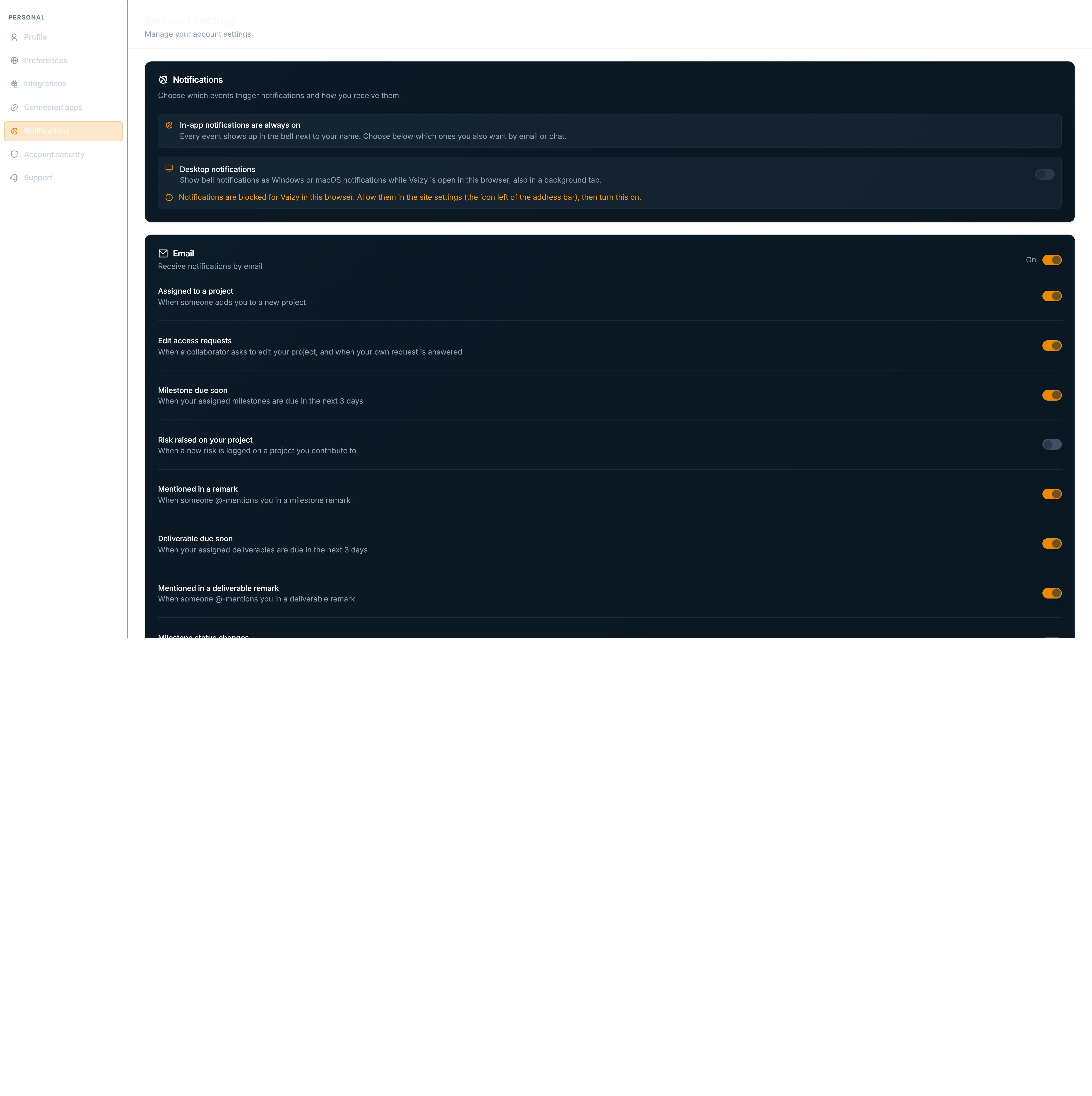
Desktop notifications
Want to know even when Vaizy is in a background tab? Turn on desktop notifications from the bell or in Settings > Notifications. New notifications then also pop up as Windows or macOS notifications while Vaizy is open in your browser, and clicking one takes you to it.
Desktop notifications are set per browser, so turn them on in each browser you use. Settings has a button to send yourself a test notification.
Email notifications
Since the bell already shows them, emails about milestone status changes, risks, budget alerts, RAG status changes and project invitations start switched off. Anything you already turned on or off stays as you set it, and people you invite always get their invitation email.
You can control email notifications for:
- Project assignments
- Milestones due soon
- Risks raised on a project
- Milestone status changes
- Risk alerts
- Budget alerts
- Project invitations
- Time-off requests
- Milestone remark mentions
- RAG status escalations
- Edit-access requests, which can also reach you in Slack and Teams
- Your monthly report: one per project, or one portfolio report across all your projects
Email has a master on/off control plus event-level controls. If you follow six or more projects, you get the portfolio report instead of one email per project.
Every Vaizy email uses the same clean layout: it follows your light or dark mode, has one clear button, and ends by telling you why you received it. Payment, invoice and refund emails show the invoice number in the subject line instead of the amount, so the amount doesn't show on your lock screen or in a shared inbox.
Monthly reports
Each month, Vaizy can email a PDF report for a project: a cover page, status, a milestones timeline, risks and issues, the latest status remarks and, if you're allowed to see finances, the budget and forecast. Managers choose who receives each project's report. The report follows your light or dark theme, links straight to the project and shows times in your timezone. To protect privacy, reports never name staff.
Follow six or more projects? You get one portfolio report instead of a pile of emails, and you can also pick it yourself in Settings > Notifications. It starts with an overview and what changed since last month, then covers each project in detail, as one PDF or one PDF per folder.
Workspace owners, admins and managers can also generate a report from the Dashboard at any time, or download any of the last 36 months from the History tab of the Monthly report dialog.
RAG status escalations
When a project or milestone on the roadmap crosses its Red/Amber/Green tolerance, Vaizy sends you an escalation instead of quietly changing the badge colour. RAG status has its own email, Slack, and Slack DM toggles, separate from budget alerts, so you can choose exactly where these land.
Cancelled and On Hold milestones never send due-date reminders.
Notification emails are sent in your preferred language (English, Spanish, French, or Dutch), falling back to English if your language isn't supported yet. See Languages and currency for how to change your preferred language.
Was this helpful?
Still need help? Ask the team